

Request More Information
Assess, Educate & Simulate Outcomes

- assessment
- automated measurements
- rhinoplasty
- chin augmentation
- injectables
- lifts
- facial contouring
- skin resurfacing

- assessment
- automated measurements
- patient education
- augmentation
- mastopexy
- revision
- fat grafting

- tummy tuck
- liposuction
- buttock augmentation
- cellulite treatment
- measure volume change
FACE Sculptor®
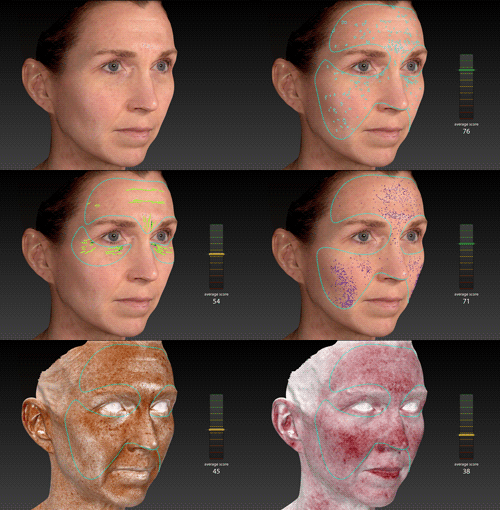
3D skin analysis identifies, analyzes, and displays results for Spots, Wrinkles, Texture, Pores, Brown Spots, and Red Areas. Graphs depict the calculated score for each feature.
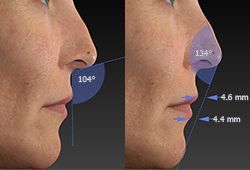
Automated measurements, some only possible with 3D technology, help your patients understand their current condition.
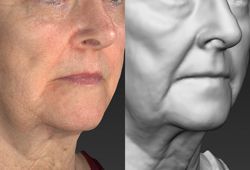
Gray mode reveals contours without color distraction, presenting opportunities for corrective procedures.
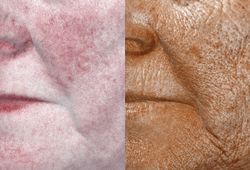
RBX® technology separates the unique color signatures of Red and Brown skin components for unequaled visualization of skin conditions.
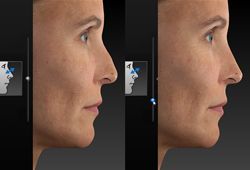
Simulate realistic 3D results with intuitive interface including slider-based adjustments for instantaneous three-dimensional rhinoplasty simulation.
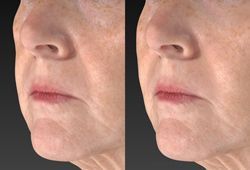
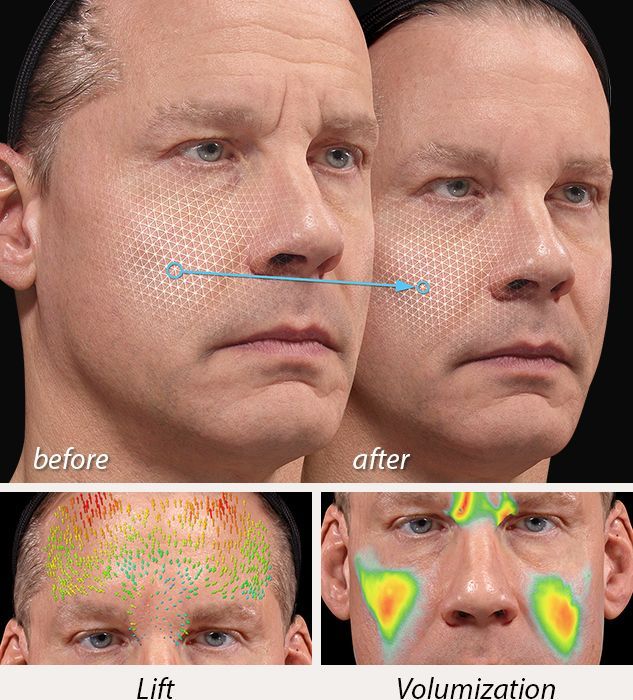
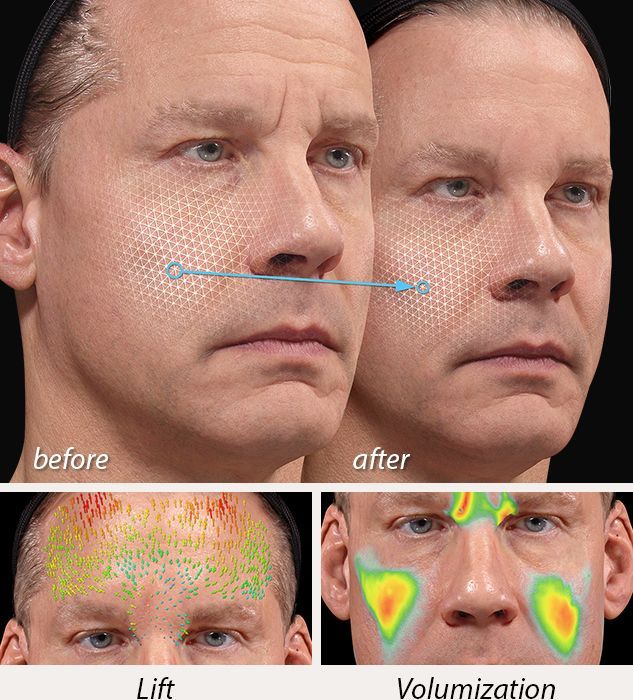
Contouring Simulate removing or adding volume.
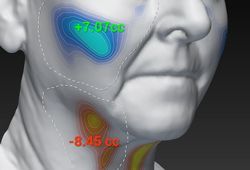
Volume difference Visualize the degree of contour change with a color distance map and one-click volume difference measurement.
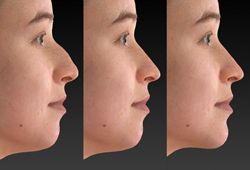
Complementary procedures Help your patient decide on the best possible treatment plan by showing the difference between the likely outcome with single or multiple procedures.
BODY Sculptor®
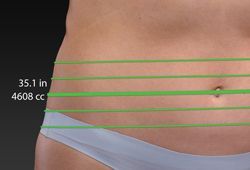
Circumferential measurements Automated circumference and volume measurements for body contouring, only possible with 3D technology and 360° imaging.
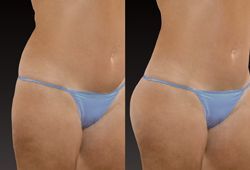
Body Contouring Simulate removing or adding volume.
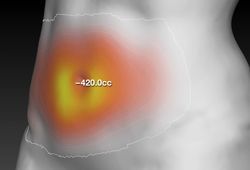
Volume difference Visualize the degree of contour change with a color distance map and one-click volume difference measurement.
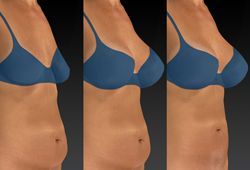
Complementary procedures Help your patient decide on the best possible treatment plan by showing the difference between the likely outcome with single or multiple procedures.
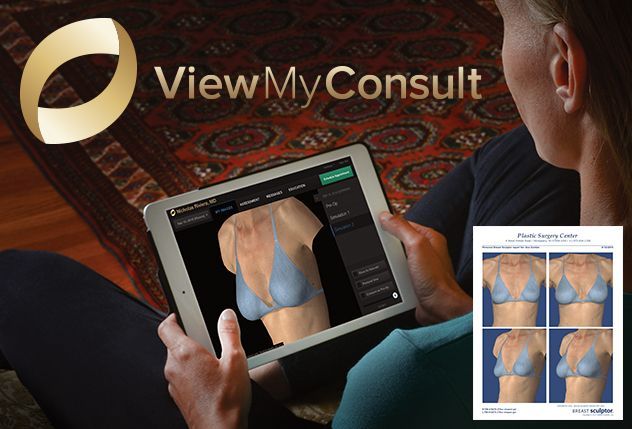
ViewMyConsult® web portal helps you stay connected to your patients as they consider the possibilities of aesthetic procedures. By accessing a secure, password-protected web portal, patients can view their 3D pictures in the privacy of their own home. Your patient can take it all home with ViewMyConsult and personalized printed reports.

Optional IntelliStage ®
allows for fast and easy 360° capture
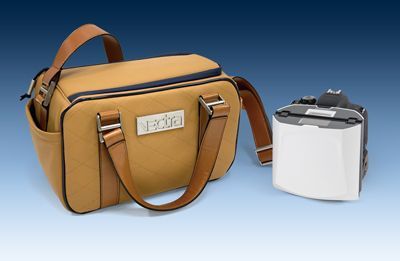
Custom case
included.
VECTRA H2 flash folds for transport.






Tech Specs & Requirements
Capture system specifications
• Capture Volume:
- Face capture: 320mm (H) x 180mm (W) x 200mm (D)
- Body capture: 700mm (H) x 410mm (W) x 400mm (D)
• 2.0 milliseconds capture time
• Stereophotogrammetry technology
• 3D Resolution (triangle edge length):
- Face capture: 1.2mm
- Body capture: 3.5mm
• Multiple image stitching capability
• On-board modular, intelligent flash unit
• Dual Ranging lights for easy patient positioning (Face and Body)
• SD Memory Card
• (4) Batteries and (2) chargers
• USB Cable
• Soft carrying case
• Computer (optional)
• Printer (optional)
Software
• VECTRA 3D Capture Module
• VECTRA 3D Analysis Module
• Mirror ® 2D PhotoTools
• Face Sculptor ® (optional)
• Skin Analysis Sculptor (optional)
• Breast Sculptor ® (optional)
• Body Sculptor ® (optional)
System power
• 100-120V AC, 50/60 Hz, 15va or
• 220-240V AC, 50/60 Hz, 20va
Windows computer requirements
• Operating system:
- Windows 10 Professional 64 bit (Recommended) or Windows 11 Professional 64 bit
- NOT SUPPORTED: Windows Home Edition and Windows 7
• Processor: Intel Core i7 10th Gen (or higher)
• System memory (RAM): 16 GB or higher
• Minimum 1 GB available disk space for installing application
• 1 TB available disk space recommended for data
• Graphics card:
- 2 GB dedicated memory minimum (4 GB or higher Recommended)
- Dedicated nVidia or AMD cards (nVidia Highly Recommended)
- Driver: latest available
- 3.0 or later Open GL
• USB Ports: 2 dedicated ports (USB 2.0)
• Display: 1920 x 1080 (FHD) minimum; 3840 x 2400 (4K) maximum
• Microsoft Security Essentials anti-virus software recommended
• Wired printers (recommended for speed)
• 1 Gbps Ethernet connection for networking - remote DB access not supported over Wi-Fi
Windows server requirements
• Windows Server 2016 64-bit and 2019 64-bit
• Microsoft SQL Server 2017 and 2019 (Express edition is installed by default)
• 1 Gbps wired LAN connectivity (Wi-Fi not supported)
• 1 Terabyte HDD recommended. Space required is dependent upon patient volume, camera used, and settings.
• RAID 1 - NOT SUPPORTED
• Regularly scheduled backups are highly recommended
Mac computer requirements
• Mac hardware: 2019 or newer
• Operating system: macOS Ventura or Sonoma
• Processor: Apple M1 (or higher) or Intel Core i7 10th Gen or higher
• System memory (RAM): 16 GB (or higher)
• Minimum 2 GB available disk space for installing application
• Minimum 500 GB available disk space recommended for data (1TB or higher recommended for capturing to local database)
• Graphics card: M1, or Intel Graphics (AMD dedicated graphics recommended for Intel Processor models)
• USB Ports: 1 USB-C port required
• Display: 13-inches or larger with resolution of 1920 x 1080 or greater
• Optional: 1 Gbps wired LAN connectivity (remote DB access not supported over Wi-Fi)
• Optional: SD Card reader for SD Card capture mode
Mac server requirements
• Windows or Mac based server that meets Minimum Computer Recommendation
• macOS:
- MySQL version 8.0.33
• Windows OS:
- Windows Server 2016 64-bit and 2019 64-bit
- Microsoft SQL Server 2019 (Express edition is installed by default)
• 1 Gbps wired LAN connectivity (Remote Database access over Wi-Fi not supported)
• 1 Terabyte HDD recommended. Space required is dependent upon patient volume, camera used, and settings.
• RAID 1 - NOT SUPPORTED
• Regularly scheduled backups are highly recommended
Mirror iPad app requirements
• Minimum support of 802.11n or later protocol by the intra-office Wi-Fi router
• Requires iPad capable of running the current version of iOS
• Mirror desktop software running on Windows OS is required to support Mirror iPad app database
Notes
• We do not support using a server-class OS as a workstation.
• WAN connectivity is NOT supported. 1Gbps connection required.
Canfield Care ®Support & Training
Canfield Care includes:
Unlimited expert technical assistance
Remote diagnostic service
Advanced hardware exchange
Marketing support
Remote training
Unlimited Webinars ($250 value per webinar)
ViewMyConsult® client portal
Your Canfield purchase includes 1 year of complimentary Canfield Care support and training.
Extended Canfield Care is available
On-site training: Additional on-site training by Canfield is available, contact us for pricing and additional information.
